RoofKit for ROI Airstrike
Auto edge tags, a 3-D roof, a materials takeoff and CAD exports, inside the ROI Airstrike you already have.
Built for roofing contractors who use ROI Airstrike. An optional add-on for ROI Airstrike 1.2 or later: it unlocks inside the app you already have, in Settings > Roof tools. Your RoofKit key must be for the same business name or email as your ROI Airstrike key. It does not include ROI Airstrike itself.
Measurements from imagery are estimates; confirm them on site.
The problem
- Tagging every eave, rake, ridge, hip and valley by hand takes time on every roof.
- Turning measurements into a materials list means another spreadsheet.
- Homeowners and crews understand a roof faster in 3-D than on a flat sketch.
How ROI Airstrike RoofKit add-on solves it
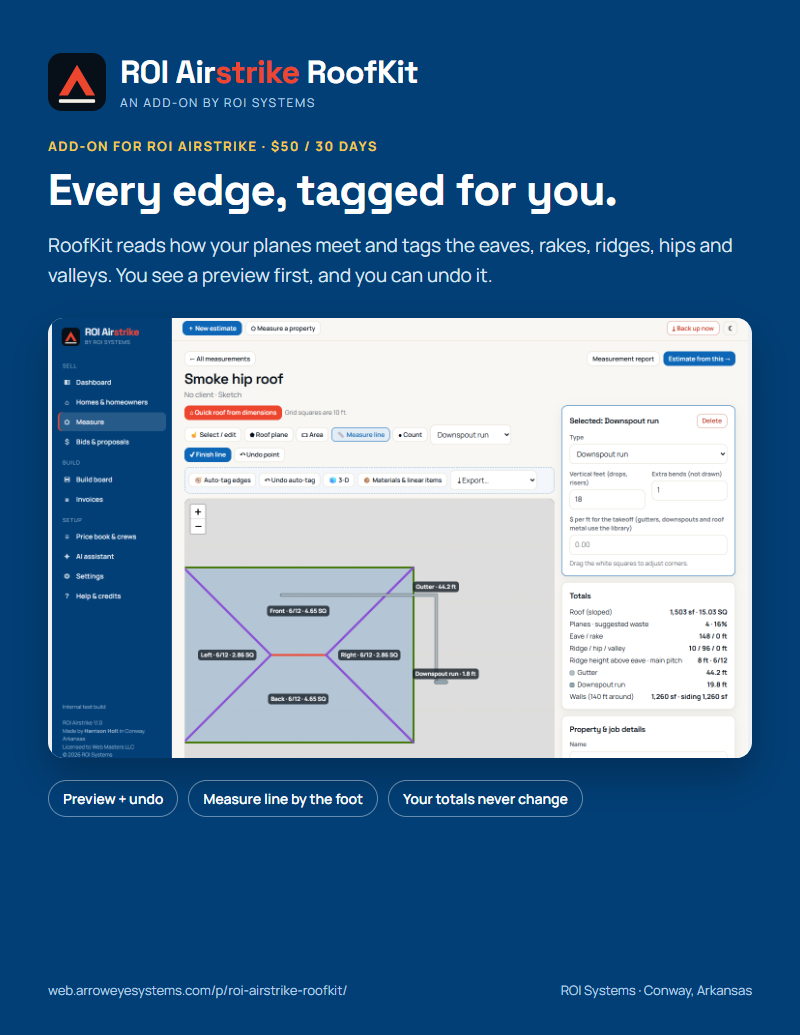
- RoofKit tags the edges for you from how the planes meet, and shows you before it changes anything.
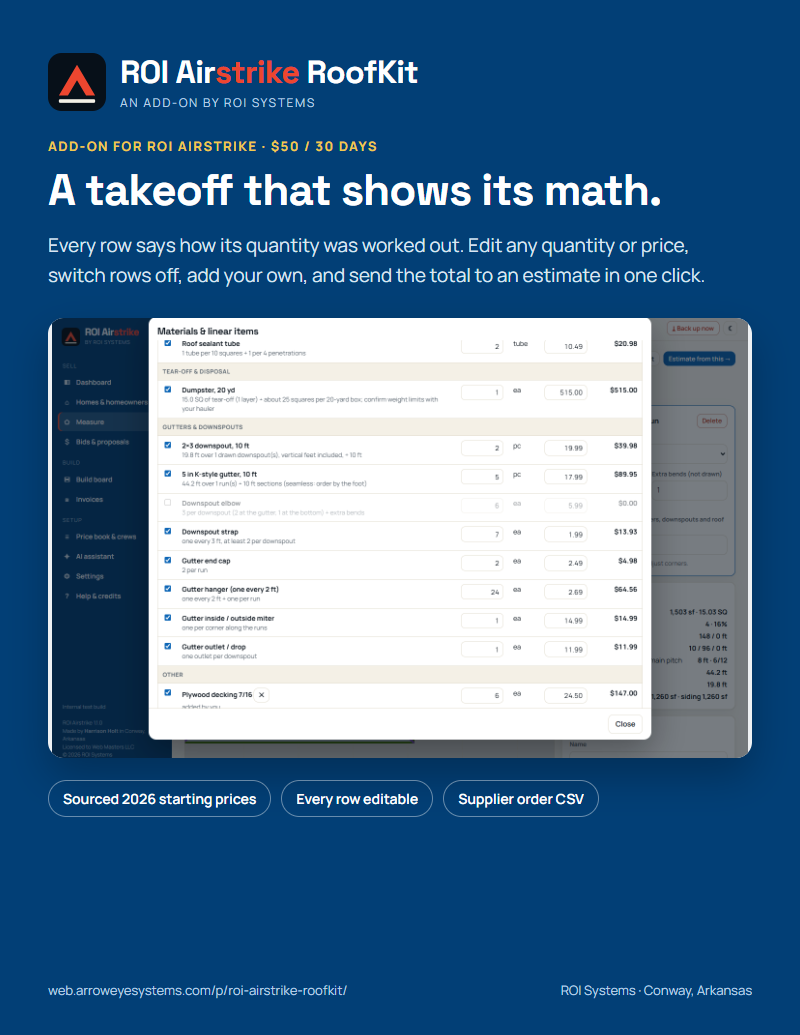
- The takeoff turns the measured roof into materials and linear items, with the math on every row.
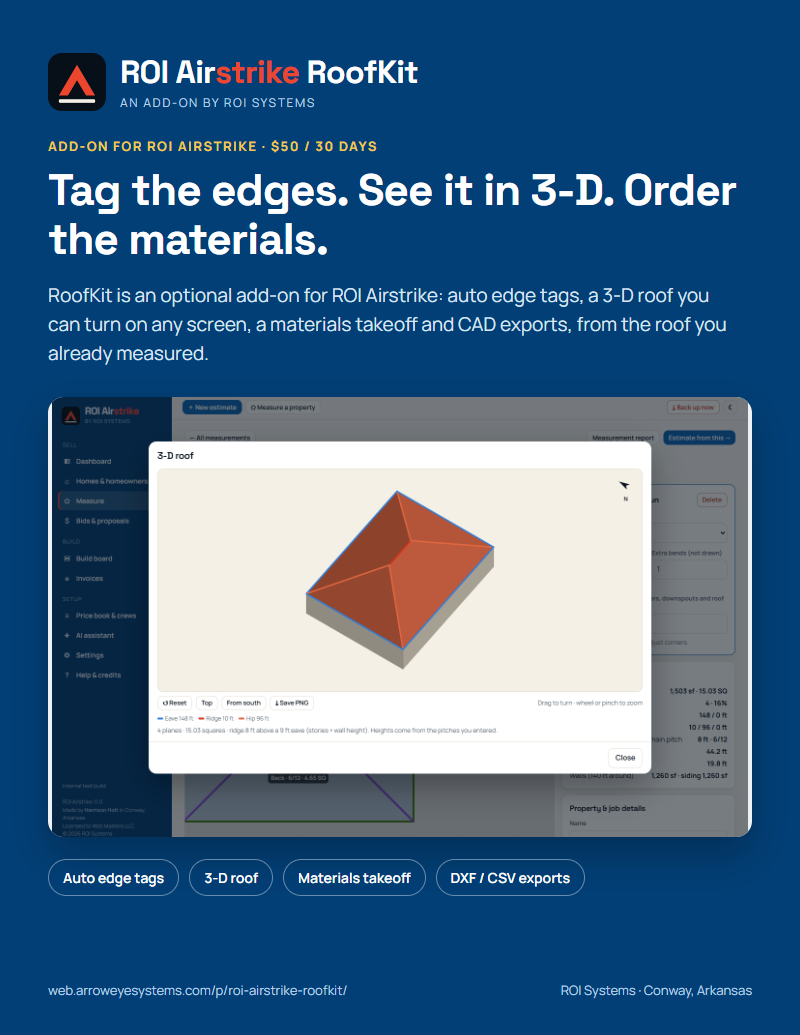
- A 3-D roof, report diagrams and DXF / CSV exports come from the same measurement.
What's inside
Eaves, rakes, ridges, hips and valleys tagged from how your planes meet, with a preview and undo.
Turn it and zoom it on a phone or a computer; save it as a picture for the report.
Every row shows how its quantity was worked out. Edit any quantity or price, switch rows off, add your own.
DXF for CAD, measurement JSON and CSV, and a supplier order CSV.
How it works
- Buy a RoofKit key for the same business as your ROI Airstrike key.
- In ROI Airstrike, open Settings > Roof tools and paste the RoofKit key.
- RoofKit switches on. Your measurements, totals and estimates stay exactly as they were.
Licensing
One license per business: every user and every device at your business is covered, never per seat. Buy a 30-day key ($50), a 1-year key ($500), or any length from 1 to 12 months (5% off from 3 months, 10% off from 6). Each key is a single payment and does not renew automatically; you are never charged again unless you buy another key. Your key is emailed as soon as payment clears. Your data stays on your own devices: use the app's Backup button regularly.
Questions? Email harrison@arroweyesystems.com or call (501) 817-9500.